Regarding reservation cancellation
You can cancel your reservation from reservation details screen. A cancellation fee will be charged if you cancel.
Please be sure to check this when cancelling your reservation. If you have made round-trip reservation, you can cancel just one way.
Change your reservation from reservation details screen
<For SEKITORI members>
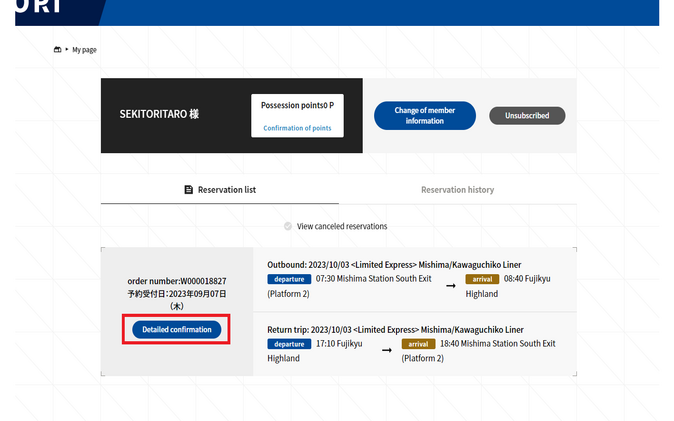
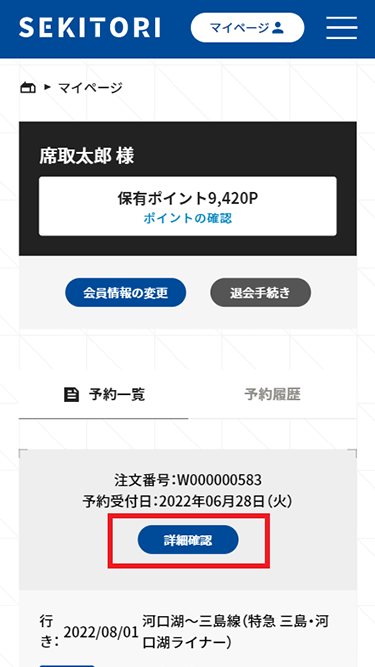
In the reservation list on your My Page, click "Confirm details" to display reservation details screen.
Go to My Page
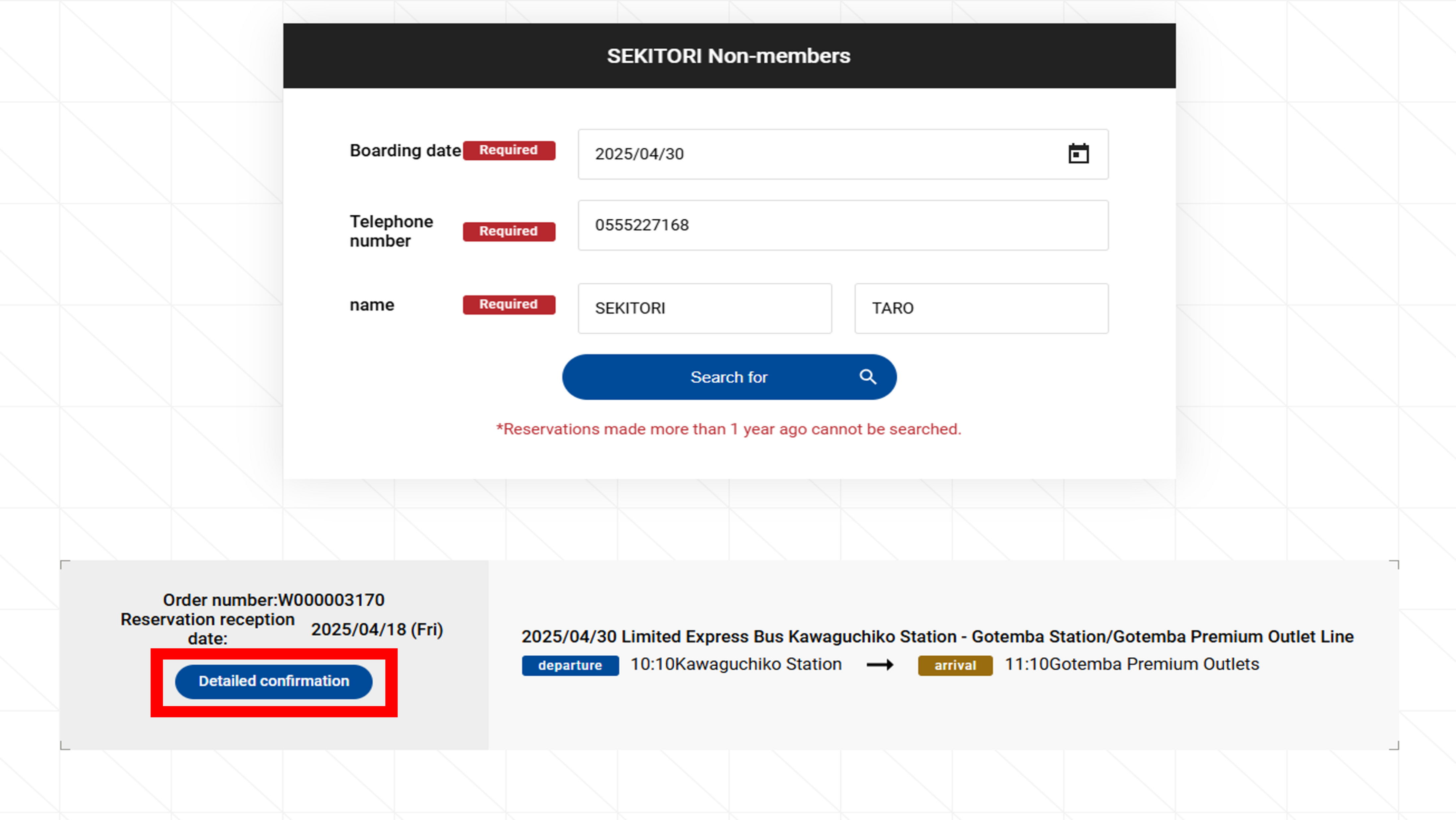
≪会員登録せずに予約された方≫
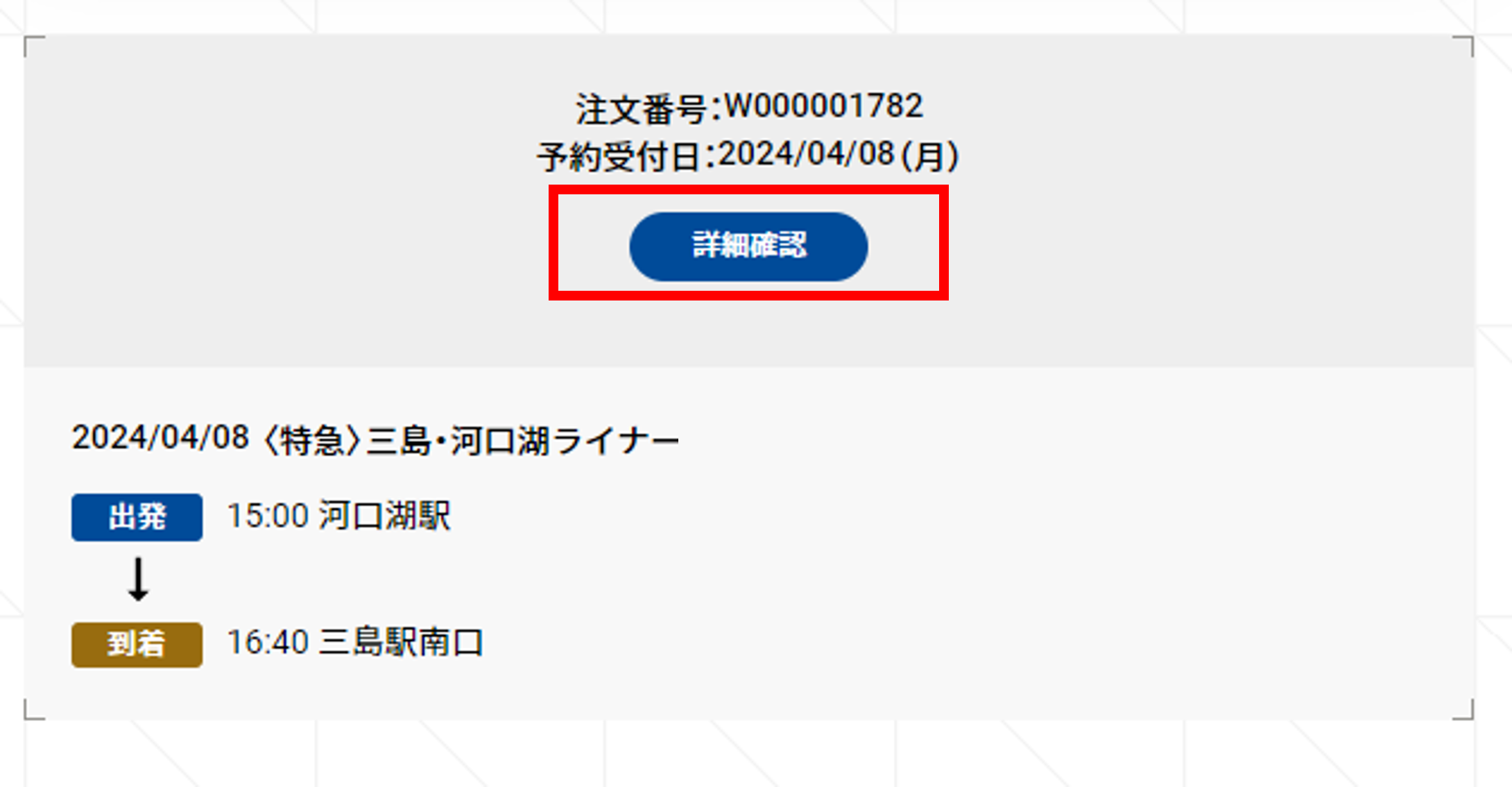
予約確認ページで、乗車日・電話番号・お名前(カナ)を入力し検索すると、予約された便が表示されます。
「詳細確認」をクリックし、予約詳細画面を表示します。
※電話番号を入力する際は、「+81」などの国際番号を除いてご入力ください。
予約確認ページへ移動する
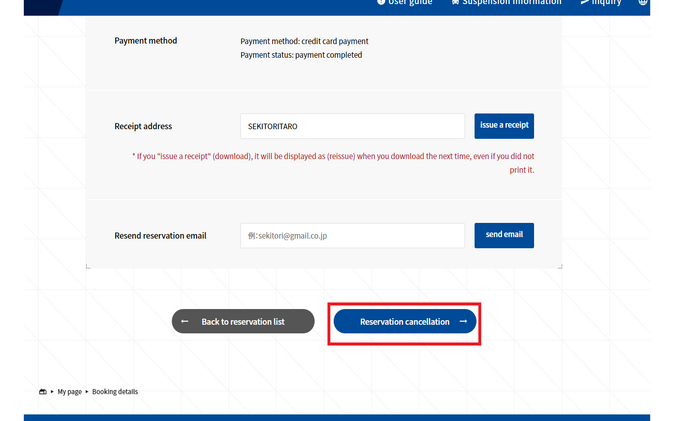
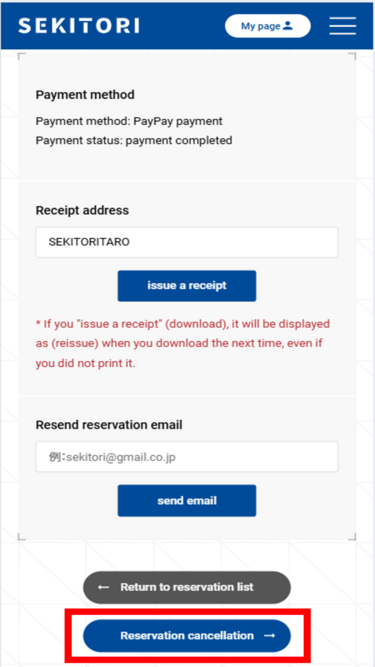
Click the "Reservation cancellation" button.
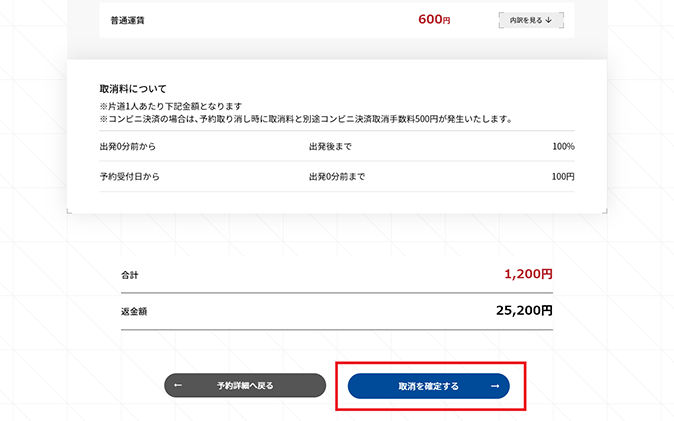
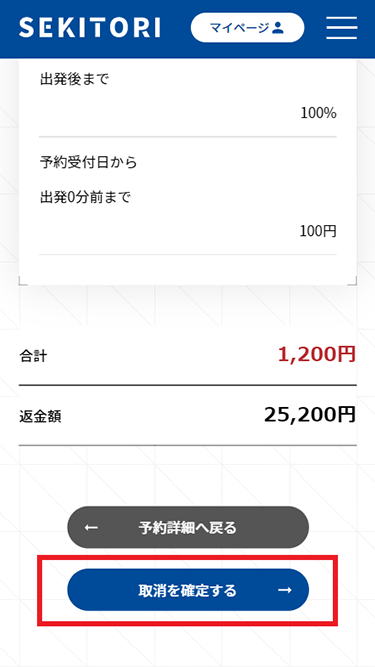
Cancellation of reservation
After confirming the reservation details and cancellation fee to be canceled, click the "Confirm Cancellation" button.